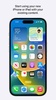
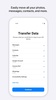
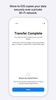

Move to iOS is the official Apple app for transferring your data from an Android device to a new iPhone or iPad. Its goal is to simplify switching operating systems, preventing you from having to manually copy your contacts, photos, messages, and other important data. The app establishes a direct connection between the two devices and transfers information during the setup process for the new Apple device. It is designed primarily for those wondering how to transfer their data from Android to iPhone and anyone looking to do so in the simplest way possible.
Transfer your WhatsApp content when switching smartphones
WhatsApp is usually one of the biggest problem areas when switching from Android to iPhone, especially if you have chats, photos, and other files accumulated over several years. Move to iOS is designed to include WhatsApp-compatible content during the migration process, so you don't have to start from scratch when setting up your new device. This is especially useful because the app's history can't always be transferred just by logging in on another smartphone. By integrating the transfer into the iOS switch, the app aims to make the transition more comfortable and reduce the number of additional steps.
Establish a private connection
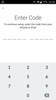
Move to iOS is quite simple to use from the user's perspective. When you choose to transfer data during setup on your new iPhone or iPad, the device will create a private Wi‑Fi network to locate a nearby Android smartphone with the app installed. Then you can simply enter a security code to link both devices and confirm the transfer. After that, Move to iOS will begin moving the selected data directly to the corresponding locations on the new device.
Keep your information organized
The transfer is not a matter of copying a folder full of files from one smartphone to another. Move to iOS is designed to send compatible data to the appropriate places within the Apple ecosystem. For example, contacts will become available as contacts, photos and videos will be integrated into the corresponding sections, and calendars and compatible accounts can be moved to their new home. The result is that when you finish the process and start using the iPhone or iPad, the experience feels more like continuing with your previous setup than starting from scratch.
The best and worst of Move to iOS
• What I liked most is its simplicity, as it transfers all the data you tend to worry about losing when switching smartphones, including contacts, messages, photos, videos, calendars, email accounts, and WhatsApp-compatible content.
• What I liked least is that the transfer can take a long time.
Download the free Move to iOS APK if you are switching from Android to iPhone or iPad and want to take your key data with you without having to transfer everything manually.
Move to iOS is for you if
✓ You want a simple way to move from Android to iPhone without manual copying
✓ You prioritize automatically transferring contacts, photos, messages, and other essential data during setup
✓ You rely on keeping your WhatsApp chats, photos, and files intact when changing phones
Requirements (Latest version)
- Android 6.0 or higher required
Comments
I don't have an iPhone or iPad.
very good
Good
good app
Very good